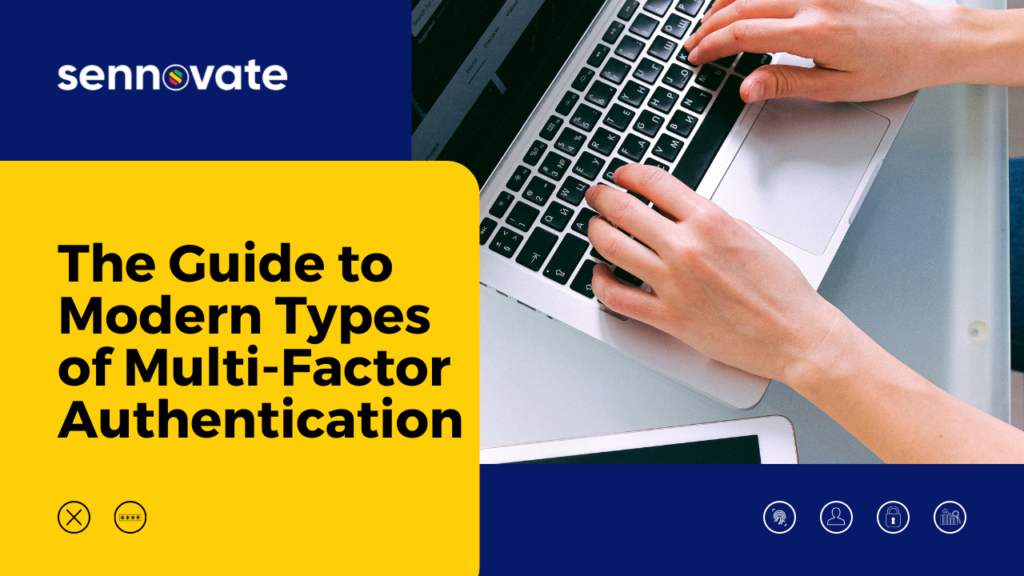
Modern types of multi-factor authentication include SMS/Text confirmations, fingerprint scanners, facial recognition, mobile push approval, and IP/Location risk-based assessment. For a quick overview, read more.
What is multi-factor authentication?
Multi-factor Authentication (MFA) is an online cybersecurity measure that uses multiple pieces of information to allow the right people to access information and accounts, while making it very difficult for hackers and criminals to access accounts. For example, accessing your Gmail account used to only require a password, that was considered Single Point Authentication. However, now a sign-in from a new device requires a password AND a mobile phone text response, that is Two Factor Authentication (2FA). If three or more elements are required, that is considered Multi-Factor Authentication. Per Wikipedia:“Multi-factor authentication is an authentication method in which a [user] is granted access only after successfully presenting two or more pieces of evidence (or factors) to an authentication mechanism: knowledge (something the user and only the user knows), possession (something the user and only the user has), and inherence (something the user and only the user is).” – Wikipedia
What are the benefits and advantages of multi factor authentication?
The benefit of multi-factor authentication is increased security by adding additional requirements to gain access. Simply put, requiring two passwords would be more secure than just one password. However, requiring one password and one text confirmation would be even more secure. Extrapolating from there, requiring a password, a text confirmation, an approved IP address, and a biometric signature would be even more secure.What are the risks and disadvantages of multi factor authentication?
The basic risk and disadvantage of multi-factor authentication is “locking out” the correct user. If a salesforce tool is so complicated to access that the salespeople can’t use the tool, that’s a serious disadvantage. As such, the most effective MFA solution is one that blocks malicious hacks and data breaches, yet is simple and consistent for intended users to access.Is Multi-Factor Authentication effective?
Yes, multi-factor authentication is effective for the vast majority of businesses and users. A recent Forbes article suggests that MFA is “effective against 99% of account hacks.” And our clients see closer to 99.99% effectiveness. In the real world, the most effective MFA solution is one that delivers the utmost in security, while balancing safety with usability. Access must continue to be consistent and “easy” for the intended audience. We generally recommend these elements in an MFA solution: Username, Password, SMS/Text Confirmation, and IP/Location. For the most sensitive information, we implement biometric MFA solutions for our most demanding clients.Two Factor Authentication (2FA) vs Multi Factor Authentication (MFA)
Two-Factor Authentication is what we’re all familiar with: 1) Enter your username and password, 2) Reply to the text message you receive on your phone. Multi-Factor authentication adds another element, like IP address or location. For example, if you generally log-in to your account from an IP address in San Ramon, CA, then the system could flag attempts to log-in from Paris, France. Generally, an IP/Location flag might arise if there was a log-in in San Ramon, then a login attempt from Paris only a few minutes later. There are any number of MFA and adaptive MFA elements that can be used:- Password
- SMS/Text Confirmation
- Secondary Info (Security Question/Answer)
- Device Type
- Hardware Token
- Location/IP Address
- Biometrics/Fingerprint
What are the top multi factor authentication tools?
There are dozens of identity management tools and software vendors available. Here are some of our favorite IAM tools, with a note on why we like them, and when they’re right for a client:Okta Verify MFA
Okta is a flexible identity and access management tool that addresses the needs and budgets of small business and enterprise when it comes to Multifactor Authentication and Single Sign-On. We recommend it to companies offering customers an online log-in, i.e., online publishers and gaming.Idaptive MFA
A leader in cloud-based Multi-factor Authentication and Single Sign On, Idaptive is a flexible solution that’s easy to implement for small to large companies. We tend to recommend it to product based companies with a growing salesforce.Azure MFA (Microsoft)
Backed by Microsoft, Azure MFA is a robust enterprise solution, which requires extensive implementation experience and less day-to-day flexibility. We recommend Azure for established finance, healthcare, and global salesforces.What about MFA and biometrics?
Biometrics for multi-factor authentication generally refers to fingerprints and fingerprint scanners. It can also refer to facial recognition, voice recognition, and retina scanners. Recently, even the FBI has encouraged more companies to adopt biometric authentication. Currently, we feel the best biometric authentication option is a fingerprint scanner. (In some cases, these are also called no-password systems.)What is PAM multi-factor authentication?
Privileged Access Management (PAM) generally refers to an additional layer of security for accessing privileged account information, including the administrative dashboard and administrative layer of an MFA solution, offering access to “privileged” employees. This administrative component presents identity management challenges in itself. For example, how does the HR or sales team add a new employee to the salesforce? How does the CTO view and analyze security breach attempts and overall enterprise security? An effective PAM solution addresses these administrative and enterprise security needs.What is risk-based multi-factor authentication?
Risk-based multi-factor authentication, also known as adaptive MFA, uses dynamic variables to assess risk and reduce cybersecurity risks — without requiring the user to proactively input additional information. For example, a user may typically only be required to enter a Username and Password. However, a risk-based multi-factor authentication solution may further reduce hack threats by sensing the IP location of the user, the device, or any number of variables. Per the Okta website:“When a user attempts to sign in, a risk-based authentication solution analyzes factors such as their device, location, and network. It then calculates a risk rating based on these contextual elements, and can decide to allow the user access, prompt them to submit another authentication factor, or deny access altogether…” – Okta
Can multi-factor authentication be used for email?
Yes, MFA can and should generally be used for email. You probably are already familiar with this on your Gmail account. When you sign-in to your Gmail from a new device using your username and password, you may be asked to confirm your identity via a text message sent to your phone. For even more security, a large enterprise may provide employees with a Hardware Token — a small device that might even attach to a keychain. This hardware token provides employees with an ever-changing code number, and when employees access protected information or their email, they may be required to enter the number seen on the hardware token. These days, with fingerprint scanners built into laptop computers, and facial recognition on phones, biometric authentication is becoming more common and affordable.Does my company need to hire an identity and access management engineer to implement multi-factor authentication?
Generally, no. In many cases, your business may most effectively be served by an MFA service provider. Why? Most online business tools and data products offer their own built-in MFA. However, there needs to be a centralized provider like Okta or Idaptive to simplify and provide various security options. With security evolving on a daily basis, it can get very expensive to keep internal employees trained up and motivated. Once your company exceeds 100 employees, consider engaging the right service partner (MSSP) to manage your security to reduce costs, while keeping the ownership internal.When should I hire an identity and access management consultant?
If your company isn’t ready to invest in a small IAM team, or IAM engineer, we would recommend working with an identity and access management service provider near you. An experienced identity management consultant will set up your business on a solid, secure IAM framework, and may only require minimal annual maintenance or upgrade costs. Because security is ever-evolving, having an internal team can get very expensive. Moreover, it can get hard to keep them 100% busy and motivated. So, a specialized security service provider keeps your team challenged, motivated and up to date every day as they work with customers with various business needs.Do I need an identity and access management consultant near me?
Maybe. The most important factor is experience and effective workflow, whether in-person, on-site, virtual, or off-site. That said, we think working with a local identity and access management consultant near you is an advantage. This will allow your consultant to better communicate with existing IT teams, and better understand your current information architecture. A non-local consultant becomes a good option if they follow security best practices, and have an established virtual workflow. Why? Location is less significant when virtual workforce tools are effectively adopted by consultant and client, whether a small business or global enterprise. Plus, all that said, on-site consultants have become very costly. Bottomline, look for a security service provider who offers an excellent communication process, clear workflow, and custom multi-factor authentication package for your business.Have questions about Multi-Factor Authentication? The consultation is free. Email [email protected] or call (925) 918-6618
READ MORE
The Insider’s Guide to Okta Adaptive MFA Pricing Privileged Access Management Requirements in 2020 The 5-Minute Identity and Access Management Tutorial The Guide to MSSP for DummiesAbout Sennovate
Sennovate delivers custom identity and access management solutions to businesses around the world. With global partners and a library of 1000+ integrations, we implement world-class cybersecurity solutions that save your company time and money. We offer a seamless experience with integration across all cloud applications, and a single price for product, implementation, and support. Have questions? The consultation is always free. Email [email protected] or call us at: (925) 918-6618Related Articles
Customer Identity and Access Management for Secure B2B Collaboration
In 2026, the modern enterprise operates not as an isolated entity, but as a dynamic...