Key Takeaways
- Provisioning in IAM creates accounts and assigns approved access to applications and systems.
- Just-in-time provisioning creates an account during a supported sign-in process. JIT access activates permissions for a limited period.
- Automated provisioning depends on accurate identity data, defined access policies, and reliable application integrations.
- Role changes should remove outdated permissions as well as assign new ones.
- Offboarding is complete only when the required access removal is verified in the connected systems.
Your new employee can sign in to the company portal. But the application they need still says “access denied.”
Meanwhile, someone who changed departments months ago can still open confidential files from their previous role.
These are provisioning problems. One prevents work from starting. The other leaves unnecessary access in place.
A reliable provisioning process handles both. It makes approved access available and keeps it aligned with the person’s responsibilities.
This guide explains how provisioning works, where JIT fits, and how to automate the identity lifecycle without losing track of access.
What Is Provisioning in IAM?
Provisioning in identity and access management is the process of creating user accounts and assigning approved permissions across applications, systems, and resources.
It may include setting profile attributes, assigning licenses, and adding users to groups. Related lifecycle processes update those accounts and remove access when it is no longer required.
For example, a new customer support employee might receive access to the help desk platform. Their role allows them to manage tickets but does not permit changes to company billing settings.
Microsoft’s application provisioning overview includes account creation, maintenance, and removal as users’ status or roles change.
How Is Provisioning Different From Authentication?
Provisioning establishes the account and configured access. Authentication verifies the identity signing in. Authorization determines what that identity can do.
| Function | Question It Addresses | Example |
| Provisioning | Does the required account and access exist? | Creates a finance application account |
| Authentication | Can the user prove their identity? | Validates a passkey |
| Authorization | Is this action permitted? | Allows invoice viewing but denies payment approval |
| Deprovisioning | Has access been removed? | Disables the account after departure |
Successful authentication does not establish that someone’s permissions are appropriate.
Why Does User Access Provisioning Matter?
Provisioning affects how quickly people can work and how much access the organization exposes.
When access depends on disconnected tickets, employees may wait for several application owners to complete onboarding. Administrators may copy an existing user’s permissions to save time, including access the new employee does not need.
The problems continue after onboarding.
Employees move between teams. Contractors finish assignments. Temporary responsibilities end. Unless those changes reach the applications, permissions can remain indefinitely.
A defined user access provisioning process connects business decisions to actual account changes. It also gives teams a record of what was approved, what was applied, and what still needs attention.
What Are the Main Provisioning Methods?
Organizations often combine several methods because application capabilities differ.
Manual Provisioning
An administrator creates accounts and adjusts permissions directly.
This may be necessary for applications without suitable integrations. However, the process still needs documented approvals and confirmation that requested changes were completed.
Automated Provisioning
An identity platform creates or updates accounts through supported connectors or APIs.
A new hire record, approved request, or group change can trigger the workflow. Automation reduces repetitive administration, but incorrect policies can distribute incorrect access just as efficiently.
Just-in-Time Provisioning
Just-in-time provisioning creates an account when the user first authenticates through a supported integration.
For example, Okta’s Active Directory JIT provisioning can create an Okta account during supported first-time authentication.
Some applications also create local accounts during federated sign-in. The available behavior depends on the receiving system.
JIT provisioning can reduce advance account creation. It does not automatically handle every later permission change or remove accounts when users leave.
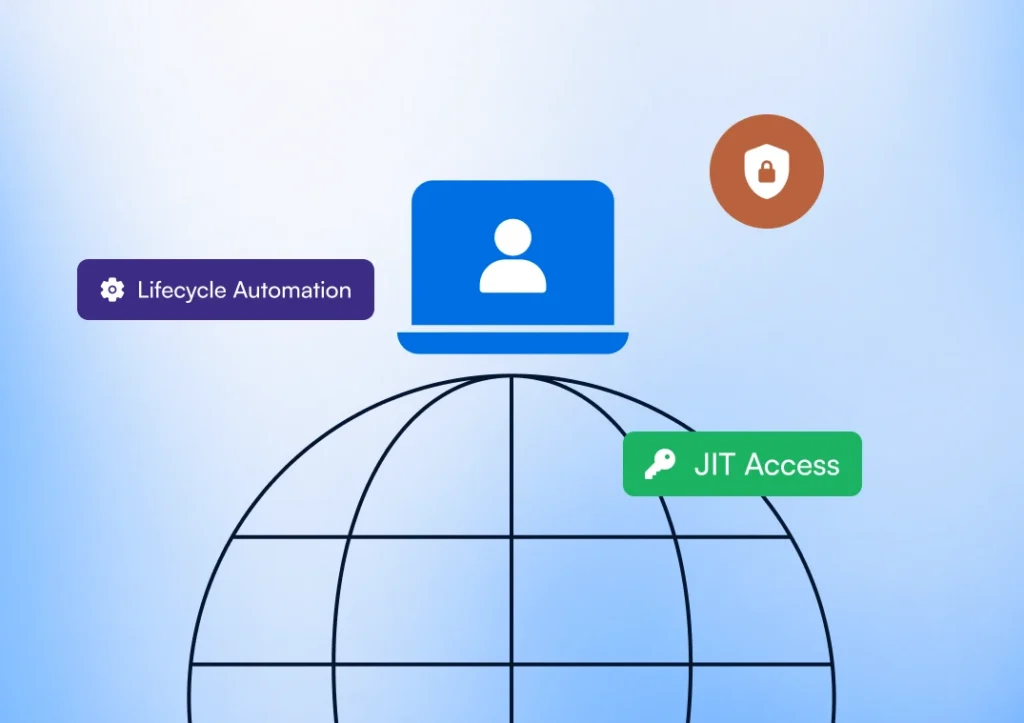
JIT Provisioning vs. JIT Access: What Is the Difference?
The terms sound similar, but they solve different problems.
| Aspect | JIT Provisioning | JIT Access |
| Purpose | Creates an account when first needed | Activates access temporarily |
| Typical trigger | First successful authentication | Access request or role activation |
| Result | A user account is created | An identity receives time-limited permissions |
| Duration | The account may remain after sign-out | Access follows a configured expiration |
| Follow-up | Account updates and deprovisioning | Expiration and verification of privilege removal |
Consider an administrator who needs elevated permissions for maintenance.
Their account already exists. They activate an approved role for the task, and the role expires afterward. That is JIT access.
Microsoft Entra Privileged Identity Management supports time-bound privileged access, with options such as approval and MFA requirements.
Creating an account at first login does not make its permissions temporary. If your goal is to reduce standing administrative privileges, account creation alone will not achieve it.
Identity and Access Provisioning Lifecycle Steps
A complete process follows the person through onboarding, changing responsibilities, and departure.
1. Establish a Reliable Identity Record
Start with an authoritative source, such as an HR system or contractor management system.
Capture the attributes needed for access decisions. These may include department, manager, employment status, and assignment dates.
Use a stable identifier to match records. Names and email addresses can change.
2. Determine and Approve Access
Map responsibilities to approved permissions.
Separate standard access from sensitive permissions requiring additional approval. Avoid copying another employee’s full access profile without checking whether each entitlement is justified.
3. Create Accounts and Assign Permissions
Send approved changes to the required systems.
Set activation timing deliberately. An account may need preparation before a start date without allowing early sign-in.
4. Verify the Result
Check that the application created the correct account and applied the intended permissions.
A workflow can submit a request successfully while the target application rejects an attribute or fails to assign a role.
5. Update Access When Responsibilities Change
A transfer should reassess existing permissions, not simply add another department’s access.
If a handover requires temporary overlap, record the justification and expiration date.
6. Remove Access and Confirm Completion
At departure, disable access according to the organization’s requirements.
Existing sessions or separate application credentials may need additional revocation steps. Preserve required business records while verifying that the person can no longer use the relevant access paths.
How Does SCIM Support Lifecycle Automation?
SCIM stands for System for Cross-domain Identity Management. It standardizes supported user and group management operations between systems.
An identity platform can use a SCIM integration to create accounts, update attributes, and deactivate users in an application.
Microsoft’s provisioning documentation explains how its service connects to application SCIM endpoints to automate these operations.
SSO and SCIM serve different purposes. SAML and OpenID Connect support federated authentication. Enabling SSO does not automatically establish account updates or deprovisioning.
Before depending on a connector, check:
- Which account and group operations it supports
- How it matches existing accounts
- Whether required roles can be managed
- How it handles deactivation and deletion
- How frequently changes are processed
- Where failures are reported
SCIM support does not guarantee coverage of every application-specific permission.
How to Improve Identity Lifecycle Management Automation
Start with a critical application and test the entire lifecycle before expanding coverage.
Check the Source Data
Review the attributes driving access decisions.
An incorrect department or missing contractor end date can produce inappropriate access even when the workflow operates correctly.
Test Removal as Carefully as Creation
Run a department transfer and an offboarding scenario.
Confirm that outdated access disappears. Include local login methods and active sessions where they apply.
Assign Ownership for Failures
Every failed provisioning action needs a responsible team.
Retries can resolve temporary connection problems. Persistent authorization errors or rejected records require investigation.
Document Applications Outside Automation
Maintain a process for applications that lack supported integrations.
If removal depends on an application owner, require confirmation before reporting offboarding as complete.
Measure Actual Access Outcomes
Track how long it takes for approved access to become usable and for revoked access to be confirmed removed.
Also monitor unresolved failures and temporary permissions that remain past expiration.
These measures help distinguish successful workflow execution from successful access management.
For help assessing these gaps, explore Sennovate’s identity and access management services.
FAQs
Does SSO Automatically Provision Users?
Not always. Some applications create accounts during federated sign-in. Others require advance account creation or a separate provisioning integration.
Can JIT Provisioning Replace SCIM?
JIT provisioning can support first-login account creation. It does not automatically provide the ongoing updates and deprovisioning that a SCIM integration may support.
What Is the Difference Between Provisioning and Deprovisioning?
Provisioning establishes accounts and access. Deprovisioning removes access or disables accounts when they are no longer required.
Should Offboarding Delete Every Account Immediately?
No. Blocking access and deleting records are separate decisions. Retention requirements or application dependencies may require preserving data after access is disabled.
Is Provisioning the Same as Identity Lifecycle Management?
Provisioning is one part of identity lifecycle management. The broader process includes identity changes, access governance, and retirement of access.
Conclusion
Provisioning in IAM should keep access aligned with a person’s responsibilities throughout their relationship with the organization.
Start by examining one application. Can your team confirm that an account was created correctly, that a transfer removed outdated permissions, and that offboarding ended access?
Any unanswered question identifies a practical place to improve.
Talk to Sennovate about strengthening provisioning and identity lifecycle automation across your environment.
Related Articles

The Modern Enterprise Guide to User Access Reviews: A Strategic Checklist from Discovery to Deprovisioning
Executive Summary It’s 2026. User Access Review (UAR) has moved from a reactive, spreadsheet driven...